
Meme Generator
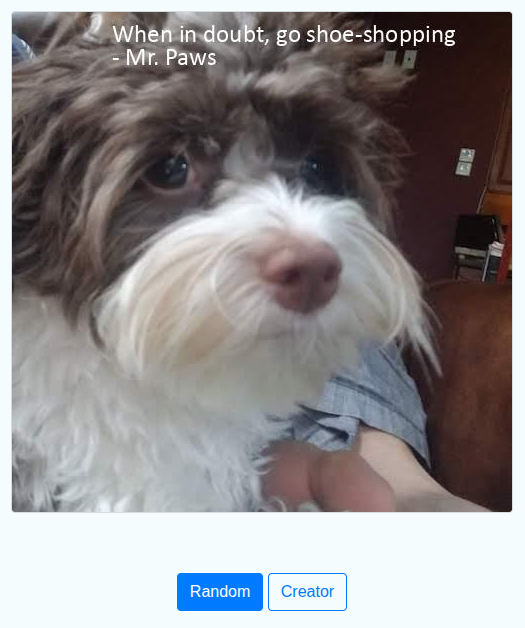
A Python application that combines an image with a quote to create a meme. It supports random or custom memes through a command-line interface and a small Flask web app.
Features
- Import quotes from CSV, DOCX, PDF, and TXT files.
- Resize images and overlay a quote and author.
- Generate memes from bundled assets or user input.
- Use either the command line or a browser interface.
Requirements
- Python 3
- Python packages in
requirements.txt - Poppler's
pdftotextcommand onPATHfor PDF quote ingestion
Setup
Run these commands from this project directory:
sudo apt-get install -y xpdf
sudo apt install python3-venv
python3 -m venv .venv
source .venv/bin/activate
python3 -m pip install -r requirements.txt
Command Line
Generate a meme from a random bundled image and quote:
Usage: python3 meme.py --path [image_path] --body [quote_body] --author [quote_author]
mkdir -p tmp
python3 meme.py

python3 meme.py \
  --path ./_data/photos/dog/xander_1.jpg \
  --body "Stay pawsitive." \
  --author "Unknown"
Web App
mkdir -p static
python3 app.py
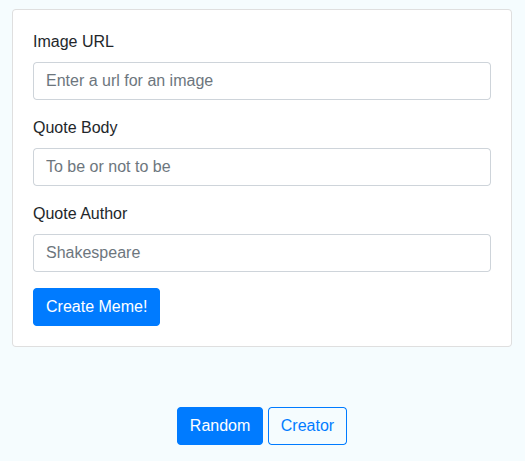
Open http://127.0.0.1:5000 for a random meme or use the /create page to submit an image URL and quote. Generated web images are saved in static/.
Project Structure
meme.py— Command-line entry point for generating random or custom memes.app.py— Flask web application for creating memes in a browser.MemeEngine/— Resizes images, positions quote text, and saves generated memes.QuoteEngine/— Represents quotes and imports them from supported file formats.QuoteModel— Stores a quote's body and author.Ingestor— Selects the appropriate file-format parser.CSVIngestor— Imports quotes from CSV files.DocxIngestor— Imports quotes from DOCX files.PDFIngestor— Imports quotes from PDF files.TextIngestor— Imports quotes from TXT files.
templates/— HTML templates used by the Flask application._data/— Sample images, quotes, and font assets.
Format checking
$ pip install docformatter
$ pip install autopep8
$ pip install black
$ pip install flake8
$ docformatter -i -r --wrap-summaries 79 --wrap-descriptions 79 .
$ autopep8 --in-place --recursive --aggressive .
$ black .
$ flake8 .